
Close Menu
    Facebook X (Twitter) Instagram
    • Technology
    • Apple
    • Gadgets & Reviews
    • Apps & Software
    • Social Media
    • Infographics
    • Offbeat
    Facebook X (Twitter) Instagram
    Apps & Software

    How to root Samsung galaxy S3 for Jellybean 4.2.1?

    MAKBy MAKFebruary 9, 2013Updated:November 20, 2013No Comments2 Mins Read
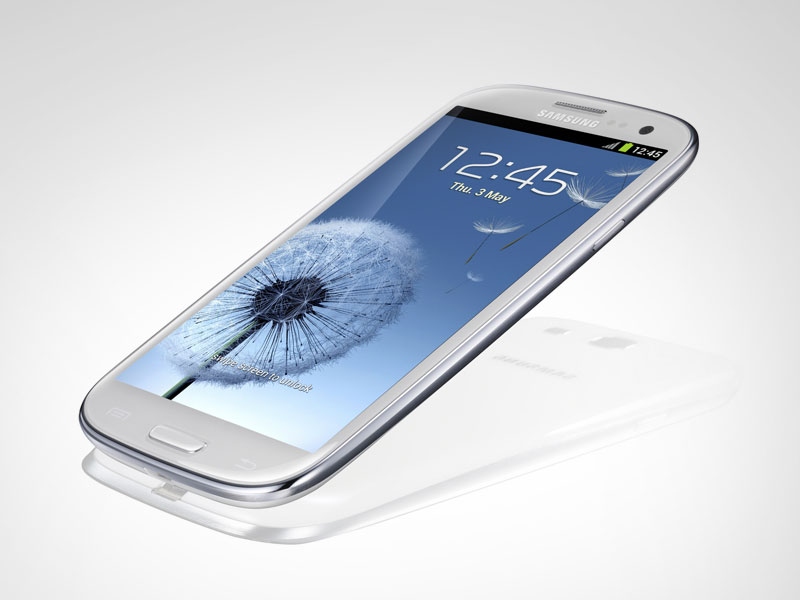
    samsung-galaxy-s-III

    Samsung galaxy S3 usually come with Android 4.1.0 (Ice Cream Sandwich) as far as Asian market is concerned. Want to upgrade Samsung galaxy S3 for jellybean 4.2.1? In the article below you will find the steps to be followed.

    Let’s have a quick look at firmware Jellybean 4.2.1 features.

    WHAT’S SO SPECIAL ABOUT JELLYBEAN 4.2.1 FIRMWARE?

    • Theme engine
    • Quiet hours
    • Notification shade wallpaper changer (+ transparency)
    • Lock screen wallpaper changer
    • Volume wake
    • Ringer settings silent/vibrate (phone face down, headphones, Bluetooth)
    • Lock screen weather
    • Brightness control slider
    • Performance/colour settings
    • Added device (colour) settings to Maguro

    ….. And many more

    Procedure to root Samsung galaxy S3 for Jellybean 4.2.1

    • Take back up of all the data present in the phone memory (SMS, contacts, call logs, images, videos, songs, files, MMS & APN settings). There are various applications available for the above mentioned tasks. You may find them on Google PLAY. E.g. for SMS- SMS backup and restore app, for contacts- synchronize with google app.
    • Download Jellybean 4.2 firmware package to your personal computing device. After that connect your Samsung Galaxy S3 to computing device with the original USB cable and transfer the firmware zip file to the SD card.
    • Now, disconnect the Smartphone and enter the Smartphone in recovery mode (with the help of ROM manager app and that also can be downloaded from Google PLAY).
    • Now, in recovery mode select “install zip from SD card” and select Jellybean 4.2 which you have just transferred to SD card.
    • Once the file has been selected it will take 4-5 minutes. After the firmware is updated successfully, just select, “go back” and then “reboot system now”.
    • That’s it. Now, to confirm if the firmware is updated or not, use the following path. “Settings > about phone”. Hopefully you will see the current firmware as jellybean 4.2 firmware version.

    PRECAUTIONS

    • Ensure that your phone will have more than 50% battery.
    • Make sure that your phone is rooted. (To check use Root checker app)

    Note: – Following a rare scenario, if your phone does not boot up or show the home screen, remove the battery, reinsert it and then try to reboot in normal mode.

    After successful reboot, just enjoy the special features of android jellybean 4.2 with your Samsung galaxy S3.


    You Might Also Like:

    • iPhone 15 pro max
      Unleashing Innovation: A Comprehensive Review of the…
    • Formula-1
      How Technology Propelled Formula 1 to the Pinnacle…
    Tweet
    Share12
    Pin
    12 Shares
    Jellybean 4.2.1 Samsung galaxy S3 for Jellybean 4.2.1
    MAK
    • Website
    • X (Twitter)

    MAK, co-founder of Geeky Edge, is a visionary in technology trends. With unparalleled insight, he navigates the realms of social media, web buzz, and gadget/app releases, reviews, and updates. MAK's expertise, honed from a young age, fuels Geeky Edge's mission to provide comprehensive resources. His writing, characterized by depth and clarity, offers invaluable insights and expert commentary. MAK's influence extends beyond writing; he's a sought-after speaker and consultant, sharing his expertise globally. Dedicated to empowering others in the digital age, MAK continues to shape the conversation, inspiring individuals and organizations to thrive in an ever-evolving technological landscape.

    Related Posts

    How Technology Propelled Formula 1 to the Pinnacle of Motorsport

    March 25, 2024

    How Do You Know When To Invest In Custom Software For Business?

    August 9, 2022

    Guide To the Raspberry Pi Revolution

    July 28, 2021
    Leave A Reply

    You must be logged in to post a comment.

    Select Tag
    android android apps apple apps business business software business technology cell phones cloud computing computer problem computers Facebook gadgets Google Google Maps For Android infographic Infographics information technology internet Internet Security ipad iphone iPhone 5 iPhone 6 iPhone Apps microsoft mobile online gaming Reviews of Microsoft Windows 8 Tablets scott robarge smartphone smartphones Social Media social media marketing software tablets tech technology technology and gadget technology and gadgets travel twitter tips vpn service web hosting Windows 8
    Facebook X (Twitter) Instagram Pinterest
    • Home
    • About Us
    • Guest Contributors
    • Contact Us
    © 2026 ThemeSphere. Designed by ThemeSphere.

    Type above and press Enter to search. Press Esc to cancel.